A trail camera fires on heat and movement, so a card fills up with hundreds of short clips, and many of them show nothing but grass in the wind. This guide scans a whole card in one go and leaves you with just the moments where something moves, as one video or a timeline for your editor.
1. Copy the card and check the file type
Copy the clips to your computer. Kutmo reads .mp4, .mov, .webm and .mkv. Many trail cameras record .AVI, which Kutmo cannot open: convert those to MP4 first with a free converter such as HandBrake.
2. Drop all the clips at once
Open kutmo.com/app and drop every clip together. They line up as a queue and are scanned one at a time, in order, with the same settings. A clip that fails is marked and skipped; the rest carry on.
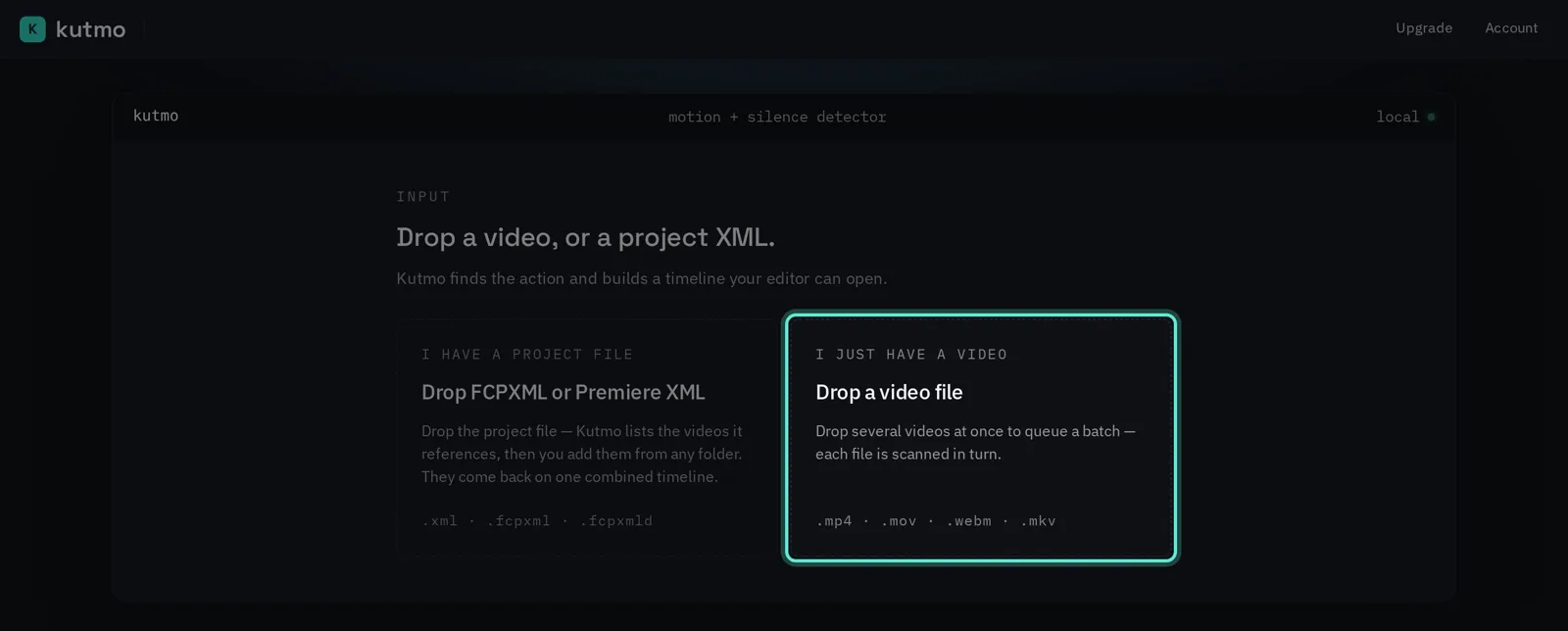
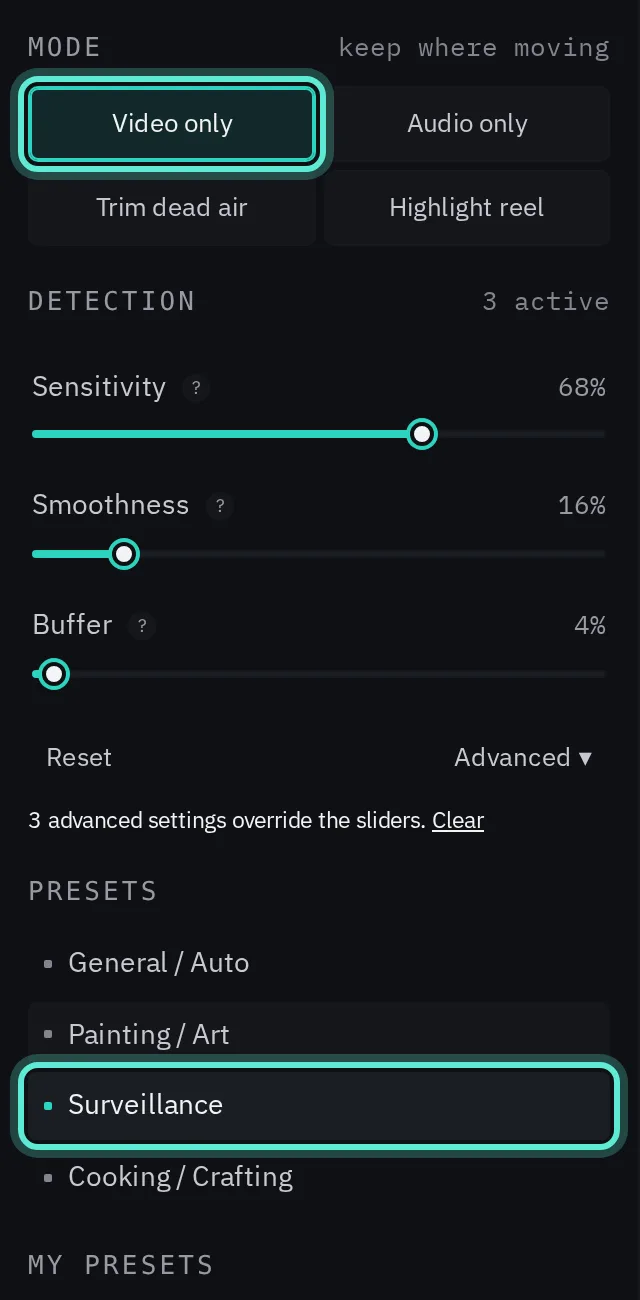
3. Choose Video only and the Surveillance preset
Video only keeps the stretches where something moves and ignores the sound. The Surveillance preset is tuned to keep even small movement, so a fast animal at the edge of the frame is not lost.
4. Detect, then check a few clips
Press Detect and let the queue run. Click any finished clip to see its timeline: kept parts bright, cut parts dimmed.
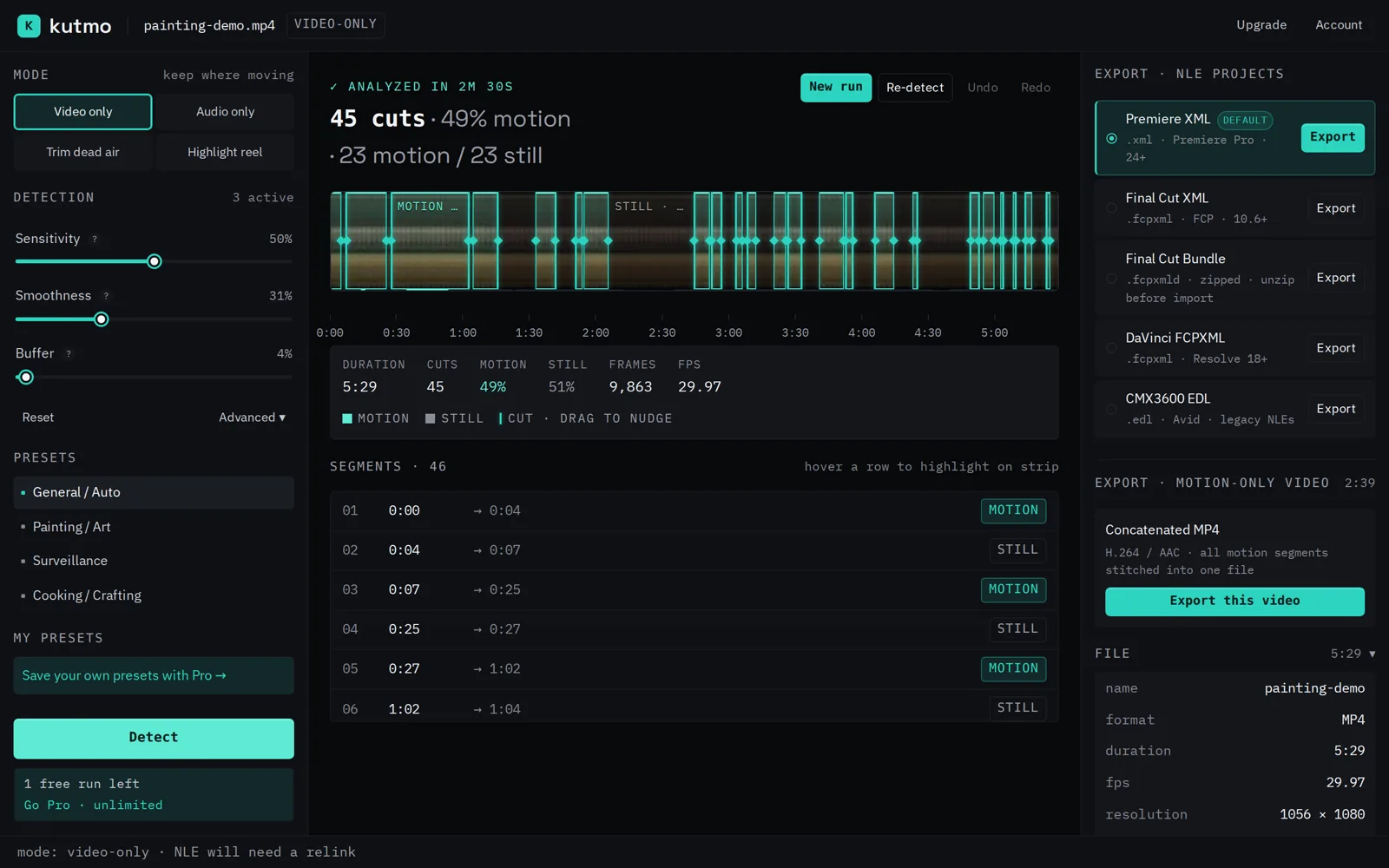
- Wind, swaying branches or moving shadows kept? Lower Sensitivity.
- Animals cut off as they enter or leave? Raise Buffer to keep more footage around each moment.
- Too many short fragments? Raise Smoothness to merge them.
Change a setting and Re-scan until a few test clips look right.
5. Export the highlights
- MP4, merge into one: a single video of every visit on the card, back to back. Easiest to watch or share.
- MP4, one file per clip: keeps each trigger separate, trimmed.
- A timeline for Premiere, Resolve or Final Cut, if you want to edit a wildlife video from it.
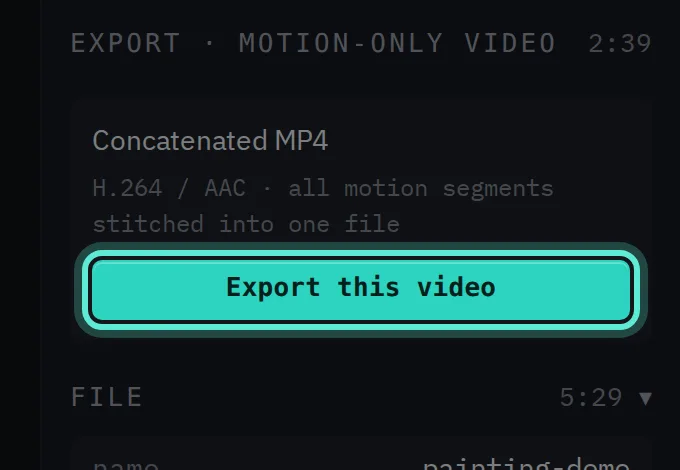
The MP4 export copies the original video rather than re-encoding it, so it is quick and loses no quality. Each cut moves to the nearest keyframe, which can shift it by up to about a second.
Common questions
Does it upload my footage? No. Everything runs in your browser, so a card of clips is never sent anywhere.
Will night (infrared) clips work? Kutmo reads the picture the same way by day or night. Grainy night footage can look like small movement; if it keeps too much, lower Sensitivity.
Try it on your own video. Your first 2 runs need no account, and a free account adds 5 more.